Our Living Room
The primary hub of smart dwelling, where a high "cool factor" meets seamless interaction to create a powerful first impression.

Disclosure: This post contains affiliate links. If you click through and make a purchase, we may receive a small commission at no extra cost to you This helps support the site and allows us to continue creating free smart home guides. Thank you!
AMAZON ECHO SHOW 11
Quick Verdict: Is the Amazon Echo Show 11 Worth It?
The Amazon Echo Show 11 is the premier choice for home automation enthusiasts who require a centralized, visual command center. With its expansive 11-inch display and integrated Matter support, it excels at managing complex smart home ecosystems. If you want seamless video monitoring and robust dashboard control, it is absolutely worth the investment for a future-proofed home.
Is the Echo Show 11 easy to set up for a smart home?
Setup is remarkably streamlined, particularly for those already within the Alexa ecosystem. Upon powering up, the device utilizes “Amazon Frustration-Free Setup” to automatically connect to your Wi-Fi if you have previous Echo devices. For enthusiasts, the most significant benefit is the built-in Thread Border Router and Matter support. This allows you to pair compatible smart lights, locks, and sensors directly to the Show 11 without requiring multiple proprietary bridges, effectively consolidating your hardware footprint.
Is the Echo Show 11 display better for security monitoring?
The 11-inch high-definition screen is specifically optimized for visual oversight. Unlike smaller smart speakers, this screen size allows for a “Multi-Camera View,” letting you monitor your front door, nursery, and backyard simultaneously. The increased screen real estate makes touch-screen toggles for dimming lights or adjusting smart thermostats much more precise, reducing the friction often found with smaller, cramped interfaces.
Top 3 Features and User Benefits
- Integrated Matter & Thread Support: The primary benefit is interoperability. You can mix and match different smart home brands (Google, Eve, Nanoleaf) and control them all from this single hub, ensuring your smart home isn’t locked into a single silo.
- Adaptive Content Technology: The screen utilizes computer vision to adjust its display based on your proximity. If you are across the room, it shows large, glanceable clocks or weather; as you approach, it automatically transitions to a detailed dashboard. This provides effortless information density when you need it.
- Auto-Framing 13MP Camera: For home automation users who also work from home, the camera pans and zooms to keep you in the center of the frame during video calls. This allows for hands-free multitasking while moving around the kitchen or office.
Pros and Cons
Pros Cons All-in-One Hub: Built-in Zigbee, Matter, and Thread support. [Refer “Smart Home 101” for Zigbee, Matter and Thread basics] Size Requirement: The large footprint requires significant counter or desk space. Superior Visuals: 11-inch screen is ideal for photo frames and security feeds. Ads and Suggestions: Home screen can occasionally feel cluttered with “Try This”prompts. Privacy Focused: Physical camera shutter & mic-off button for peace of mind. Price Point: Significantly more expensive than the Echo Show 8 or Echo Show 5.
Real-World Performance: A Day in the Life
Your morning begins as the Echo Show 11 gradually increases its screen brightness to simulate a sunrise. As you enter the kitchen, the dashboard automatically reveals your daily schedule and a live feed of the baby’s room. While cooking dinner, you use a voice command to view the front door; the 11-inch screen displays a crystal-clear image of the delivery person. In the evening, the device acts as a digital photo frame, rotating high-resolution family memories with vibrant color accuracy. It feels less like a speaker and more like a proactive digital assistant that anticipates your environmental needs.
Comparison: Echo Show 11 vs. Apple HomePod Mini
The Apple HomePod Mini is a compact, audio-first device focused on high-fidelity sound and Siri integration within the Apple HomeKit ecosystem. While both support Matter, the Echo Show 11 wins on utility for the visual-focused user. The HomePod Mini lacks a screen, making it impossible to view security footage or touch-control a complex dashboard. Choose the HomePod Mini for small-room audio; choose the Echo Show 11 for total home visualization.
Expert Verdict: Which Smart Path is Yours?
Building a smart home in 2026 requires a hub that can handle the “visual heavy lifting” of a modern ecosystem. The Echo Show 11 is the most capable visual interface Amazon has produced to date.
Who this is for:
- Power Users: Those with 20+ smart devices who need a central dashboard.
- Security Focused: Users who want a dedicated screen for constant doorbell and camera monitoring.
- Families: Great for shared calendars, video calling, and kitchen utility.
Who should skip this:
- Audio Purists: If you only want music and voice control, the standard Echo or HomePod Mini offers a smaller footprint.
- Minimalists: If you find screens in the living room distracting, a screenless hub is a better fit.
Disclosure: This post contains affiliate links. If you click through and make a purchase, we may receive a small commission at no extra cost to you This helps support the site and allows us to continue creating free smart home guides. Thank you!
GOVEE AI SYNC BOX 2 WITH TV BACKLIGHT
Quick Verdict: Is the Govee AI Sync Box 2 Worth It?
The Govee AI Sync Box 2 is perfect for gamers and home theater enthusiasts seeking an immersive, reactive lighting ecosystem. By utilizing HDMI 2.1 support for high-refresh gaming, it offers a lag-free experience that camera-based systems cannot match. If you prioritize precision lighting that syncs perfectly with your screen content, it is absolutely worth the investment.
Is the Govee AI Sync Box 2 easy to set up?
Setup is significantly cleaner than previous Govee generations because it eliminates the need for an overhanging camera. You simply connect your media sources (gaming consoles or streaming sticks) into the HDMI inputs on the Sync Box, and then connect the box to your TV. The Govee Home app guides you through the calibration of the LED strips, allowing you to map the light segments to your screen dimensions in minutes.
Can the Govee AI Sync Box 2 handle 4K gaming?
One of the most critical upgrades for enthusiasts is the inclusion of HDMI 2.1 ports. This means the device supports 4K resolution at 120Hz or 8K at 60Hz, ensuring your PlayStation 5 or Xbox Series X performance isn’t throttled. It also supports VRR (Variable Refresh Rate) and ALLM (Auto Low Latency Mode), making it one of the few ambient lighting systems that doesn’t compromise gaming competitive edges.
Top 3 Features and User Benefits
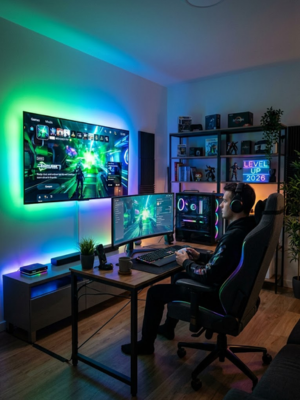
- CogniGlow AI Recognition: This technology identifies specific in-game events – like health alerts or winning a match – and triggers unique lighting effects. It transforms your room into an active participant in your gameplay.
- HDMI 2.1 Integration: By reading the data directly from the HDMI cable, the lights achieve perfect color accuracy and zero lag, providing a much more premium feel than camera-based alternatives.
- Multi-Device Sync (DreamView): You can link up to 10 other Govee smart lights to the box. This allows for total room immersion, where your entire space reacts to the movie or game on screen.
Pros and Cons
Pros Cons HDMI 2.1 Support: Supports 4K/120Hz without signal degradation. Price Point: A significant investment compared to standard LED strips. No Camera Required: Cleaner TV aesthetic without an external sensor. HDMI Only: Smart TV built-in apps (Netflix/YouTube) will not sync; requires an external player.
AI Lighting Effects: Custom reactive scenes for popular gaming titles.
Real-World Performance: A Day in the Life
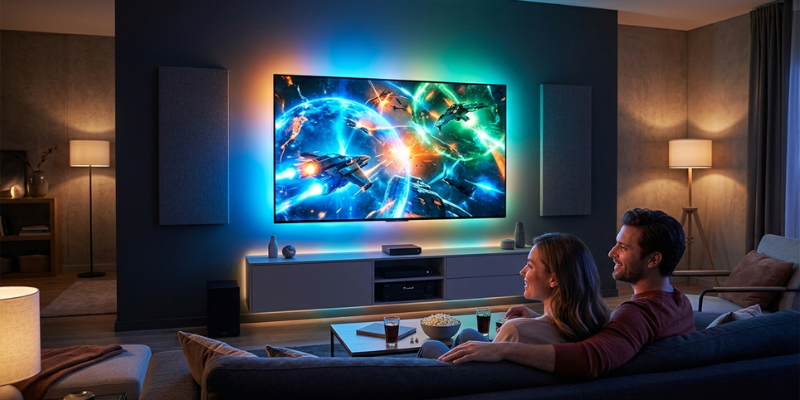
Imagine sitting down Friday evening to play an action RPG. As the game loads, your living room dimming is automated through your smart hub. When you cast a fire spell, the Govee lights instantly wash the walls in deep orange and red hues with zero perceptible delay. Later, you switch to a movie; the AI Sync Box accurately pulls the cinematic blues and teals from the screen, extending the visual field beyond the bezel. It makes the 65-inch screen feel like a 100-inch experience, reducing eye strain while dramatically increasing immersion.
Comparison: Govee AI Sync Box 2 vs. Philips Hue Play Gradient Strip
The Philips Hue Play Gradient Strip is known for its incredible color blending and ecosystem reliability. However, to get HDMI syncing with Hue, you must purchase a separate Sync Box, often doubling the cost. The Govee AI Sync Box 2 is a more inclusive, gaming-optimized solution that offers HDMI 2.1 out of the box – a feature Hue has been slow to implement – making Govee the superior choice for high-performance gamers.
Expert Verdict: Which Smart Path is Yours?
Who this is for:
- Clean-Aesthetic Seekers: Homeowners who want reactive lighting without a camera perched on top of their thin-bezel TV.
- Hardcore Gamers: Those who need 4K/120Hz support and want their room to react to in-game achievements.
Who should skip this:
Disclosure: This post contains affiliate links. If you click through and make a purchase, we may receive a small commission at no extra cost to you This helps support the site and allows us to continue creating free smart home guides. Thank you!
JUKE+ 6-ZONE ALL-IN-ONE AUDIO SYSTEM
Quick Verdict: Is the Juke+ 6-Zone All-In-One Audio System Worth It?
The Juke+ is the definitive solution for home automation enthusiasts seeking a high-powered, rack-mountable multi-room audio controller. It is perfect for homeowners with demanding architectural speakers who want modern wireless control. If you require high-fidelity streaming across six zones with a massive 100W peak per channel, the Juke+ is absolutely worth the investment.
Is the Juke+ easy to set up for a whole-home audio project?
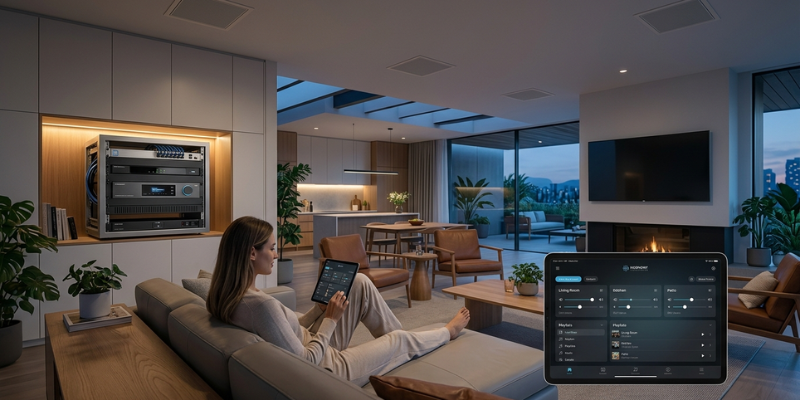
Integration into your smart dwelling is remarkably efficient. The Juke+ is designed for “plug-and-play” installation into a standard 1U equipment rack. Once your passive speakers are wired into the rear terminal blocks, the system connects via Ethernet or Wi-Fi. Unlike legacy systems that require proprietary controllers, the Juke+ uses an intuitive web interface for zone configuration, making it accessible for both DIY enthusiasts and pro installers.
Does the Juke+ have enough power for large rooms?
A major upgrade in the Juke+ is its robust Class D amplification. Delivering 100W peak per channel (50W RMS), it provides more than double the driving power of standard multi-room units. This increased wattage allows the Juke+ to drive larger, more demanding 8-ohm speakers with ease, ensuring that even in open-concept living areas or high-ceiling foyers, the audio remains crisp, distortion-free, and impactful at higher volumes.
Top 3 Features and User Benefits
High-Power 12-Channel Amp: Delivering 100W per channel, this system offers the dynamic headroom needed for an audiophile-grade experience across all six zones.
Native AirPlay 2 & Spotify Connect: The primary benefit is frictionless streaming. You can stream directly from your favorite apps on iOS or Android without needing to learn a clunky third-party interface.
Wired Input/Output Versatility: With RCA and Optical inputs/outputs, the Juke+ acts as a system bridge. You can connect a TV or turntable as a source and even output the signal to a powered subwoofer for deeper bass in specific zones.
Pros and Cons
Pros Cons Audiophile Power: 100W per channel drives larger, high-end speakers. Passive Only: Not compatible with wireless-only speakers (e.g., Sonos/Echo). Independent Zones: Up to 4 users can stream different audio simultaneously. Premium Price: Reflects the significantly higher power output.
Slim 1U Design: Saves valuable space in your server or media rack.
Real-World Performance: A Day in the Life
Your morning begins in the kitchen, where you stream a podcast to the ceiling speakers. Because the Juke+ provides 100W of power, the audio is perfectly clear even over the sound of the range hood. Later, while you work in the office, the kids activate the Patio Zone for music. Despite multiple zones running, the Class D amp stays cool. In the evening, you switch to the Living Room zone; the high wattage brings out the rich detail in your favorite lossless tracks, filling the room with a depth of sound that lower-powered systems simply cannot match.
Comparison: Juke+ (6-Zone) vs. Juke-8 (8-Zone)
The Juke-8 All-In-One 8 Zone System offers more coverage with 8 independent zones, but it is designed for standard background listening with 40W peak per channel (20W RMS). The Juke+ is the clear winner for performance enthusiasts; by trading two zones for a massive jump to 100W peak per channel, it provides the raw power necessary to turn your smart home into a high-fidelity concert venue.
Expert Verdict: Which Smart Path is Yours?
Who this is for:
- Performance Enthusiasts: Users with high-end architectural speakers that require significant wattage to perform at their best.
- Large Room Owners: Anyone with expansive spaces where standard 40W amplification might sound “thin” or underpowered.
- Modern Renovators: Homeowners wanting a centralized, “Matter-ready” feel for their wired audio infrastructure.
Who should skip this:
- Background Listeners: If you only want low-volume ambient music in small rooms, the more affordable Juke-8 or Juke-6 is sufficient.
- Wireless-Only Homes: If your home isn’t pre-wired for speakers, look toward a mesh-based wireless speaker system instead.